















【コピペだけ】SimplicityにCocoon風目次を即導入!初心者でも3分で完成
今さらではありますが、「Simplicity」に 目次機能 を追加してみました。 すでに多くの方はテーマを Cocoon に移行していると思いますが、今回の目次は Simplicity以外のテーマでも問題なく使える汎用タイプ になっています。
デザイン面についても、スタイルは CSSを調整するだけで自由にアレンジ可能 なので、ブログの雰囲気に合わせてシンプルにも華やかにも仕上げられます。 今回はその中でも、誰でも扱いやすいように Cocoon風のシンプルで見やすい目次 を作成しました。
導入方法はとても簡単で、必要なコードを コピペするだけで即反映 できます。 初心者の方でも迷わず設定できると思います。
以上です。気になる方はぜひ試してみてください。
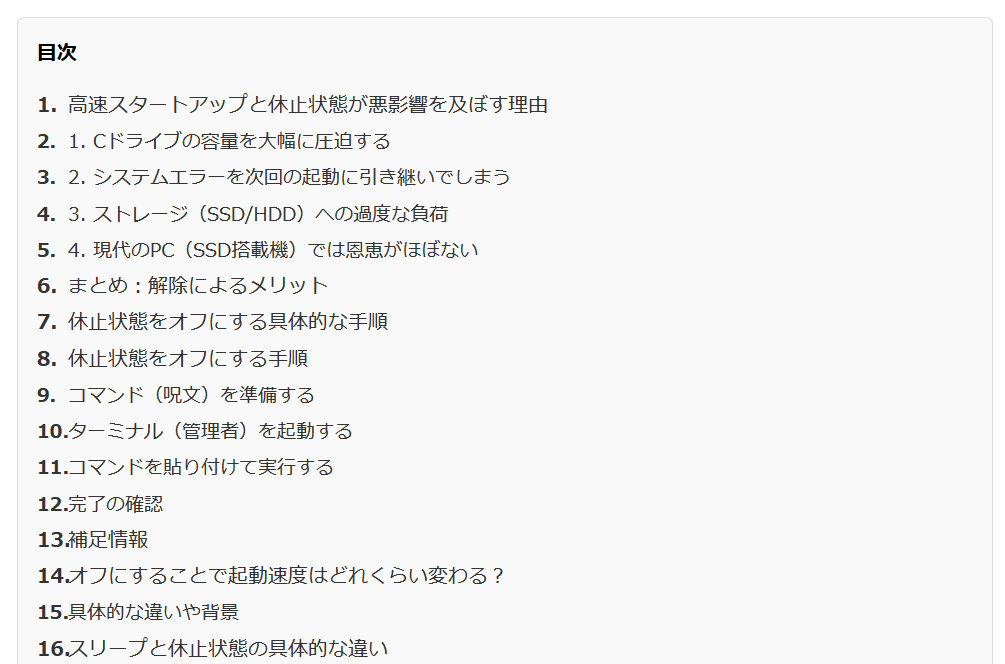
こんなイメージです
①Function.phpに以下を追加してください
<?php
/* ==============================
   目次を自動生成(Cocoon風)
   ============================== */
function generate_toc($content) {
    if (is_singular() && in_the_loop() && is_main_query()) {

        // h2 と h3 を取得
        $pattern = '/<h([2-3])[^>]*>(.*?)<\/h[2-3]>/i';
        preg_match_all($pattern, $content, $matches, PREG_SET_ORDER);

        if (count($matches) < 2) {
            return $content; // 見出しが少なければ目次を作らない
        }

        $toc = '<div class="toc"><div class="toc-title">目次</div><ul>';

        $i = 1;
        foreach ($matches as $match) {
            $level = $match[1];
            $title = strip_tags($match[2]);
            $id = 'toc-' . $i;

            // 見出しにIDを付与
            $content = str_replace($match[0], '<h'.$level.' id="'.$id.'">'.$match[2].'</h'.$level.'>', $content);

            // 目次リスト作成
            $toc .= '<li class="toc-level-'.$level.'"><a href="#'.$id.'">'.$title.'</a></li>';
            $i++;
        }

        $toc .= '</ul></div>';

        // 最初の h2 の前に目次を挿入
        $content = preg_replace('/<h2/i', $toc.'<h2', $content, 1);
    }
    return $content;
}
add_filter('the_content', 'generate_toc');
?>
②style.cssに以下を追加してください
/* ==========================
   Cocoon風 目次デザイン
========================== */
.toc {
    border: 1px solid #ddd;
    background: #f9f9f9;
    padding: 15px;
    margin: 20px 0;
    border-radius: 5px;
}

.toc-title {
    font-weight: bold;
    margin-bottom: 10px;
    font-size: 16px;
}

.toc ul {
    list-style: none;
    padding-left: 0;
}

.toc li {
    margin: 5px 0;
}

.toc a {
    text-decoration: none;
    color: #333;
}

.toc a:hover {
    text-decoration: underline;
}

/* h3 を少しインデント */
.toc-level-3 {
    margin-left: 15px;
    font-size: 0.95em;
}

/* ==========================
   目次のナンバーリング
========================== */
.toc ul {
    counter-reset: toc-counter;
}

.toc li {
    counter-increment: toc-counter;
    list-style: none;
    position: relative;
    padding-left: 25px;
}

.toc li::before {
    content: counter(toc-counter) ". ";
    position: absolute;
    left: 0;
    color: #333;
    font-weight: bold;
}

/* h3 の番号は 1.1 のように階層化 */
.toc-level-3 {
    counter-reset: toc-sub-counter;
}

.toc-level-3::before {
    counter-increment: toc-sub-counter;
    content: counter(toc-counter) "." counter(toc-sub-counter) " ";
}


/* 吹き出しのスタイル - 完全版 */
div.speech {
  display: flex;
  align-items: flex-start;
  margin: 20px 0;
  gap: 15px;
}

div.speech-icon {
  flex-shrink: 0;
  width: 80px;
  height: 80px;
  border-radius: 50%;
  overflow: hidden;
  background-image: url('https://mypc.withrun.org/wp-content/themes/simplicity-child-thumb-list/my2.jpg');
  background-size: cover;
  background-position: center;
  display: block;
}

div.speech-text {
  position: relative;
  background: #f0f0f0;
  padding: 15px;
  border-radius: 10px;
  flex: 1;
}

div.speech-text::before {
  content: "";
  position: absolute;
  left: -15px;
  top: 15px;
  width: 0;
  height: 0;
  border-style: solid;
  border-width: 10px 15px 10px 0;
  border-color: transparent #f0f0f0 transparent transparent;
}

/* スマホ対応 */
@media screen and (max-width: 768px) {
  div.speech-icon {
    width: 60px;
    height: 60px;
  }
}

/* 記事内の画像を横幅いっぱいに表示 */
.entry-content img {
  max-width: 100%;
  width: 100%;
  height: auto;
}
左ライン付き・見出し感強め
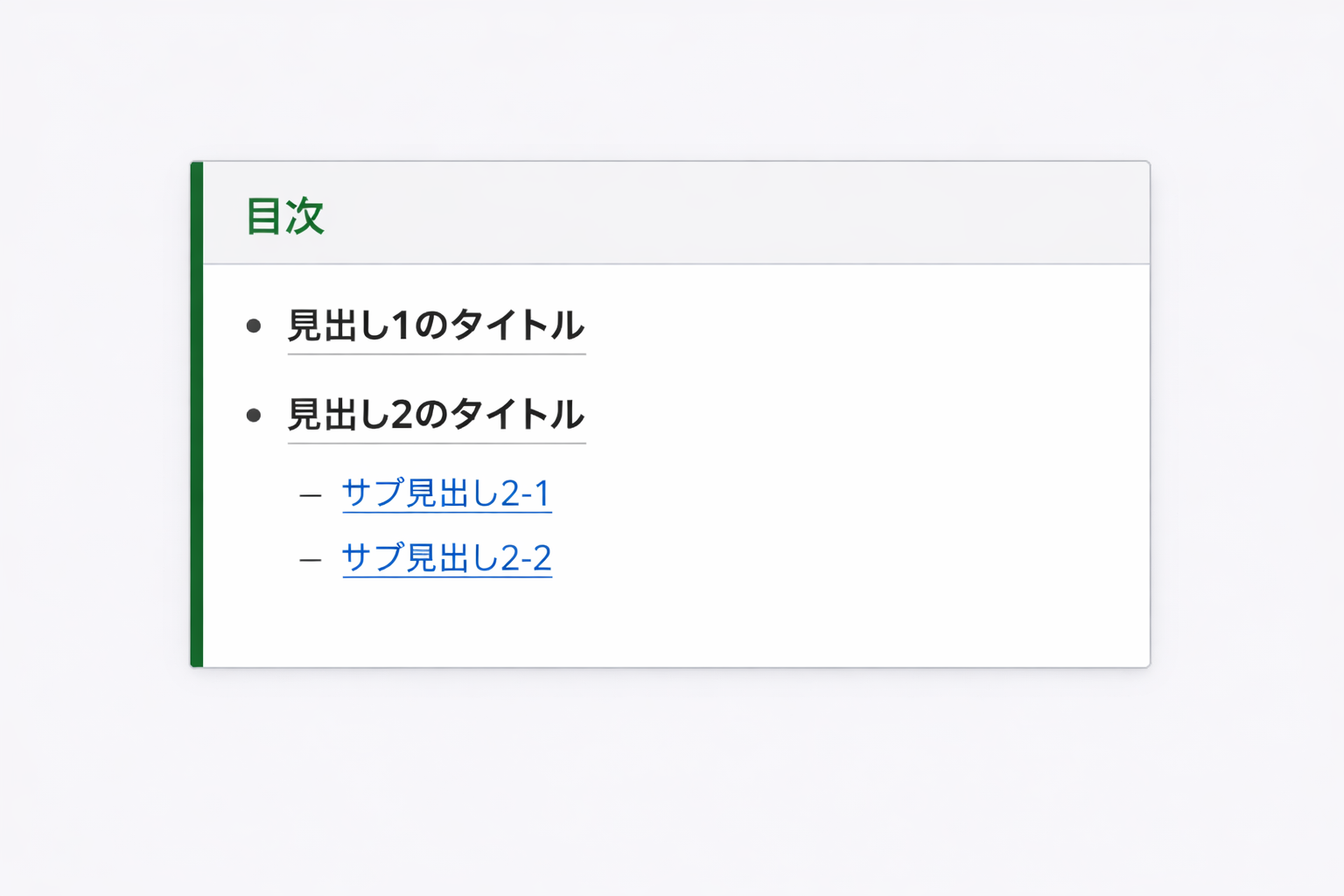
.toc {
    border-left: 4px solid #4caf50;
    background: #fafafa;
    padding: 12px 16px;
    margin: 20px 0;
}
.toc-title {
    font-weight: bold;
    font-size: 14px;
    margin-bottom: 8px;
    color: #4caf50;
}
.toc ul {
    margin: 0;
    padding-left: 18px;
    list-style: disc;
}
.toc li {
    margin: 3px 0;
}
.toc-level-2 a {
    font-weight: bold;
    color: #333;
    text-decoration: none;
}
.toc-level-3 a {
    margin-left: 4px;
    font-size: 13px;
    color: #666;
}
.toc a:hover {
    color: #4caf50;
}
背景色付き・ボックス強調(目立たせたいとき)
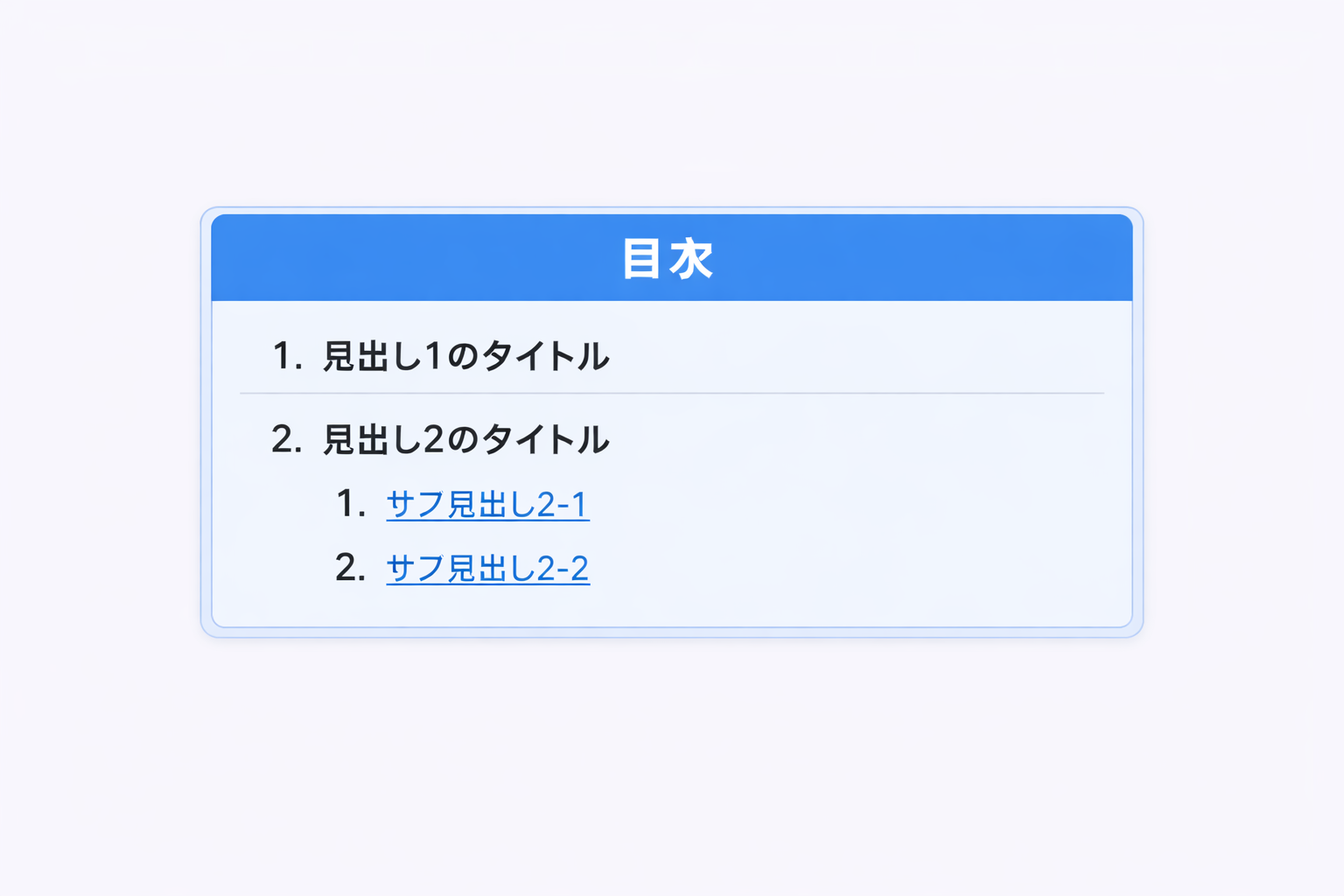
.toc {
    background: #e8f4ff;
    border-radius: 6px;
    padding: 14px 18px;
    margin: 20px 0;
    border: 1px solid #c5ddf5;
}
.toc-title {
    font-weight: bold;
    font-size: 14px;
    margin-bottom: 8px;
    color: #1e88e5;
}
.toc ul {
    margin: 0;
    padding-left: 18px;
    list-style: none;
}
.toc li::before {
    content: "・";
    margin-right: 4px;
    color: #1e88e5;
}
.toc-level-2 a {
    font-weight: bold;
    color: #234;
    text-decoration: none;
}
.toc-level-3 a {
    margin-left: 8px;
    font-size: 13px;
    color: #456;
}
.toc a:hover {
    color: #1e88e5;
}
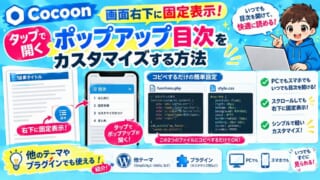
【Cocoon】スマホでも目次をすぐ開ける!右下に目次ボタンを追加する方法
Cocoonで画面右下に目次ボタンを固定表示し、タップでポップアップ目次を開くカスタマイズ方法を解説。functions.phpとstyle.cssにコピペするだけで、PCでもスマホでもいつでも目次を開けます。他テーマやプラグインでの使い方も紹介。
webcss.withrun.org
2026.09.23




コメント